Who Should See What: Access Control in Facility Software
Access control is the part of a system nobody thinks about during a demo and everybody thinks about six months later — usually the day a technician deletes a record they should never have been able to open, or a manager cannot approve something because the system decided their job title was not senior enough.
Both problems come from the same mistake: treating a job title as a permission.
Prosas separates the two. Roles are a convenience; permissions are the actual rule.
Why Job Titles Make Poor Permissions
Real organizations refuse to fit a tidy hierarchy. A storekeeper at one company runs purchasing; at another, they only issue parts. One company's technician updates work orders; another's is not allowed to touch them.
Systems built on fixed role tiers force a bad trade:
- Grant too much, and everyone can change everything
- Grant too little, and people work around the system to get their job done
Every workaround is a permission model that failed quietly.
Permissions, Not Titles
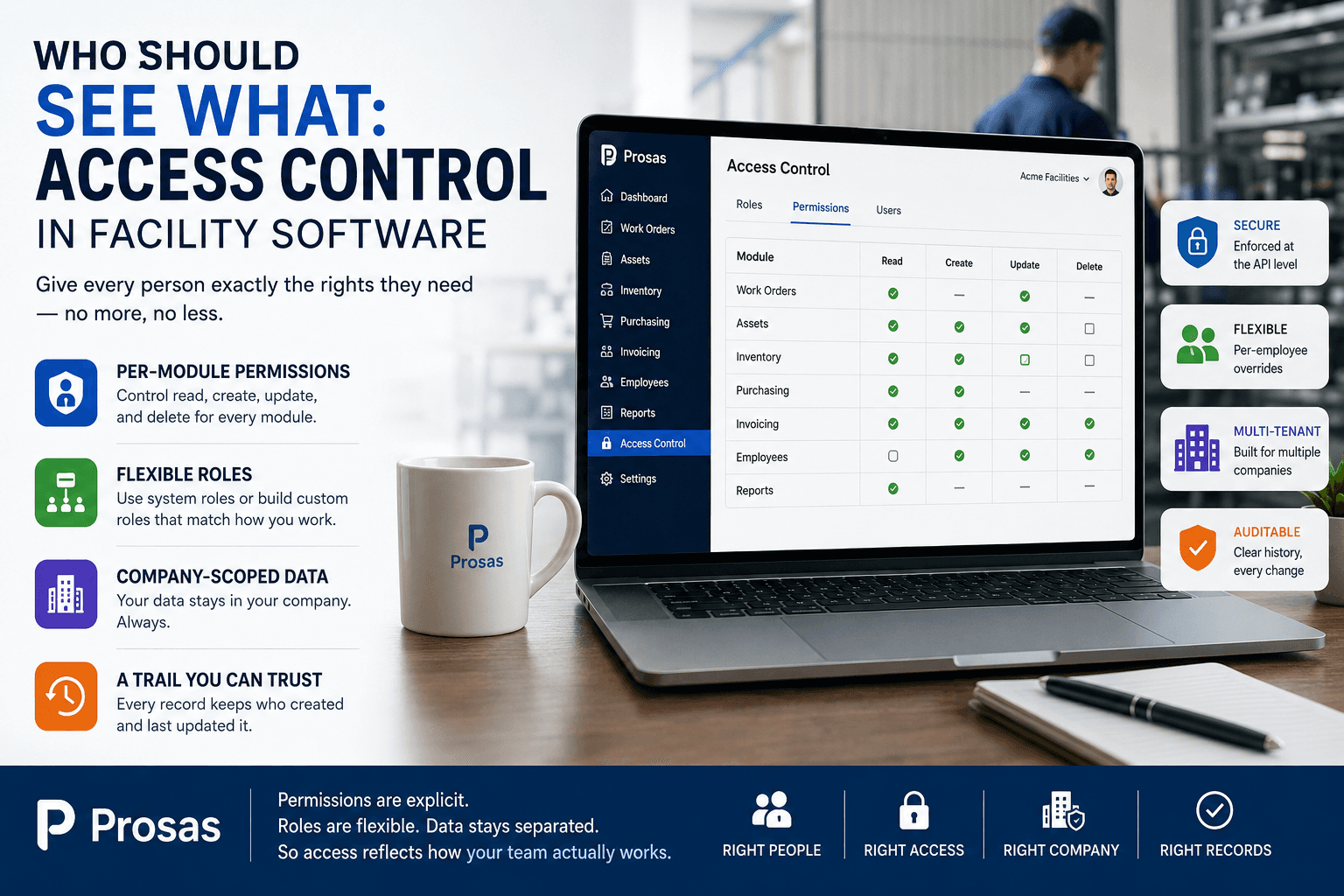
In Prosas, access is granted per module and per action — read, create, update, delete — so a person's rights describe what they actually do rather than what their title implies.
That granularity is what makes realistic setups possible:
- A technician who can read and update work orders, but not create or delete them
- An accountant with read access to work orders and full access to invoicing
- A storekeeper with inventory rights and no maintenance access at all
- A contractor coordinator who sees only what their scope requires
Roles still exist, and they still save time — they are simply bundles of permissions, not hard-coded tiers. Owners can grant or deny any right per employee, or build custom roles that match how the company genuinely works.
Build the Frontend on Permissions, Not Role Names
This matters for anyone integrating with the platform: because permissions can be adjusted per employee, checking “is this user a manager?” is unreliable. Two managers at the same company can legitimately hold different rights.
The correct check is always the permission flag itself. Hide the button when the user lacks the right — and let the API enforce it regardless, because a hidden button is a courtesy, never a control.
Separation Between Companies
Permissions decide what a person can do inside their company. Tenancy decides which company's data exists for them at all.
Prosas is multi-tenant and company-scoped by design. Records belong to a company, and that scope is enforced on the request — not assumed from a dropdown or a value the client sends. Your employees, assets, work orders, and costs are simply not reachable from another company's session.
The Quiet Benefit: A Trail You Can Trust
Good access control produces something beyond safety. Because rights are explicit and records keep who created and last updated them, the history means something.
“Who changed this work order?” stops being a conversation and becomes a lookup. That single property changes how teams behave — not because anyone is being watched, but because ambiguity is what turns small mistakes into arguments.
A Practical Way to Set It Up
- List the jobs people actually do, not the titles on their contracts.
- Start from least privilege — grant read first, then add write where the work requires it.
- Use roles for the common shapes, and per-employee overrides for the exceptions.
- Give delete sparingly. Most people need to update, very few need to remove.
- Review after joiners, leavers, and role changes — permission drift is real, and it only drifts upward.
Frequently Asked Questions
Can I control access per module?
Yes. Rights are granted per module and per action — read, create, update, and delete are separate.
Can two people with the same role have different access?
Yes. An owner can grant or deny individual permissions per employee, so role names are a starting point rather than a ceiling.
Is my company's data visible to other companies?
No. The platform is multi-tenant and company-scoped, and that scope is enforced on every request.
What happens if someone lacks a permission?
The request is refused by the API, not merely hidden in the interface — so enforcement does not depend on the client.
Do owners have to configure everything manually?
No. Sensible system roles cover the common cases, and custom roles or per-employee adjustments handle the rest.
Access Control Is an Operations Decision
Deciding who can see and change what is not an IT formality. It shapes how confidently people work, how reliable the record is, and how much time is lost to fixing things that should never have been editable.
With Prosas, permissions are explicit, roles are flexible, and company data stays separated — so access reflects how your team actually works.